Connectors and MISP synchronisation
A connector describes an external tool. An instance identifies a particular server and its connection settings. A case or task can link to an instance and store an external identifier, such as a MISP event UUID.

Configure and attach an instance
- An administrator configures the connector and its instances under Tools > Connectors, including the URL, available modules and access settings.
- Configure the credentials required by the instance. Depending on its configuration, these can be shared instance credentials or credentials associated with your user account.
- With the required MISP Editor permission and case access, open the case or task’s Connectors controls and add an instance.
- Enter an existing external identifier when linking to existing remote data. For a first MISP send, Flowintel can create an event and store its UUID automatically.
- Run the appropriate send or receive module and inspect the result.
An instance can be reused across cases, and one case can have multiple instances. Check the target before sending data. Removing a connector association removes the local link; it does not delete the remote event.
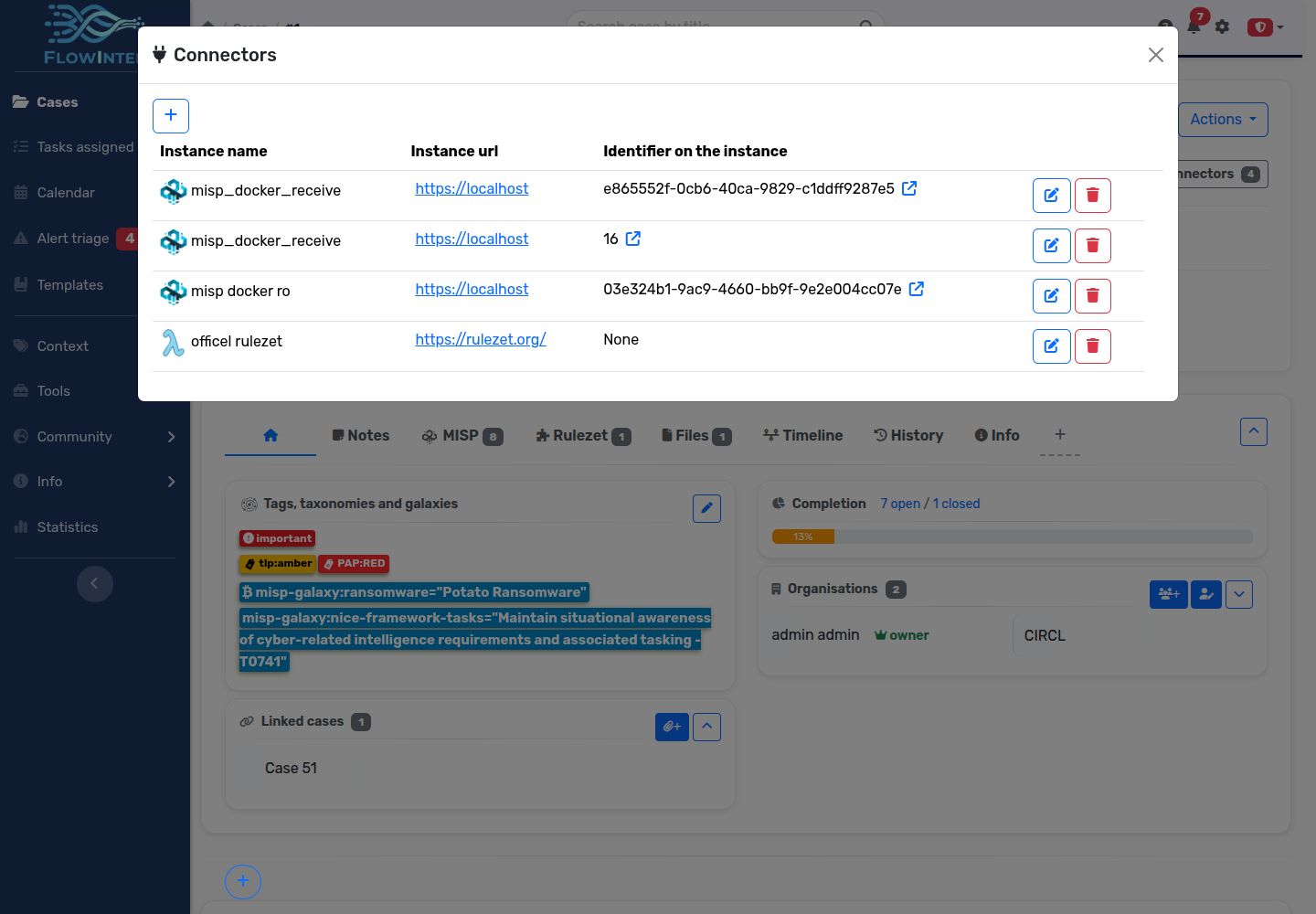
On a case, use the Connectors button near the top to open the linked-instance panel.
Sending to MISP
A writable MISP instance supports full case export and object-focused export. Full case export includes case/task information, notes, subtasks, references and MISP data. File attachments are conditional on MISP_EXPORT_FILES.
The first send creates a remote event when no identifier is set. Later sends use the saved identifier to update the linked event. Taxonomy tags and galaxy clusters can be exported; local custom tags are not included as MISP taxonomy tags.
Task-level sends export the task’s information and notes, with attachments when enabled. Instances marked Read only block sends, including automated sends.
Receiving and searching
A receive module fetches remote intelligence using the linked event identifier. Read-only instances can still receive data. Do not assume every send operation has a symmetric receive operation: the selected module determines which objects, attributes, reports or metadata it handles.
The MISP receive connector also supports searching remote attributes and saving selected results as notes. Use this for targeted lookups without importing an entire investigation.
To start a new investigation from an existing MISP event, use the Create case from MISP workflow. It supports a case template, object/attribute selection and optional event-information notes, standalone attributes, event reports and files.
Automated synchronisation and conflicts
Case-level MISP connector links support send/receive automation. Configure the direction, available interval and conflict strategy for each link. Review its status, pending conflicts and history after enabling it.
The misp_sync worker runs scheduled synchronisation. A running web application does not by itself prove that this worker is active. If local and remote data have changed, inspect the conflict and choose a resolution deliberately before continuing synchronisation.
The API exposes settings and available options at GET /api/case/{case_id}/connectors/{link_id}/sync_automation. Here link_id is the case’s connector association ID, not the global instance ID.
Modules
Modules implement specific exchanges. The current source includes MISP send modules, a MISP receive module and a Rulezet receive module. Availability in your interface depends on configuration and permissions.
| Directory | Responsibility |
|---|---|
app/modules/send_to/ | Export data to another tool. |
app/modules/receive_from/ | Fetch data from another tool. |
app/modules/notify_user/ | Deliver notifications. |
For a custom module, begin with a working module in the same directory and preserve its handler contract. For example, a case send module declares metadata and accepts the instance, case data and user:
module_config = {
    "connector": "misp",
    "case_task": "case",
    "description": "Describe the operation shown to users",
}

def handler(instance, case, user):
    # Implement the exchange and return the result expected by the caller.
    ...
See the case MISP send implementation for a complete example. Put deployment-specific module settings in conf/config_module.py, using conf/config_module.py.default as the reference.