Cases, tasks and evidence
A case groups an investigation’s context, organisations, tasks and evidence. A task describes a piece of work within that case, with its own assignees, status, notes and attachments.
Your first investigation
- Open Cases and create a case with a descriptive title and a short account of what needs investigating. Add a deadline if there is a time constraint.
- Assign the organisations involved. Decide whether the case should be private and whether it needs the privileged review workflow.
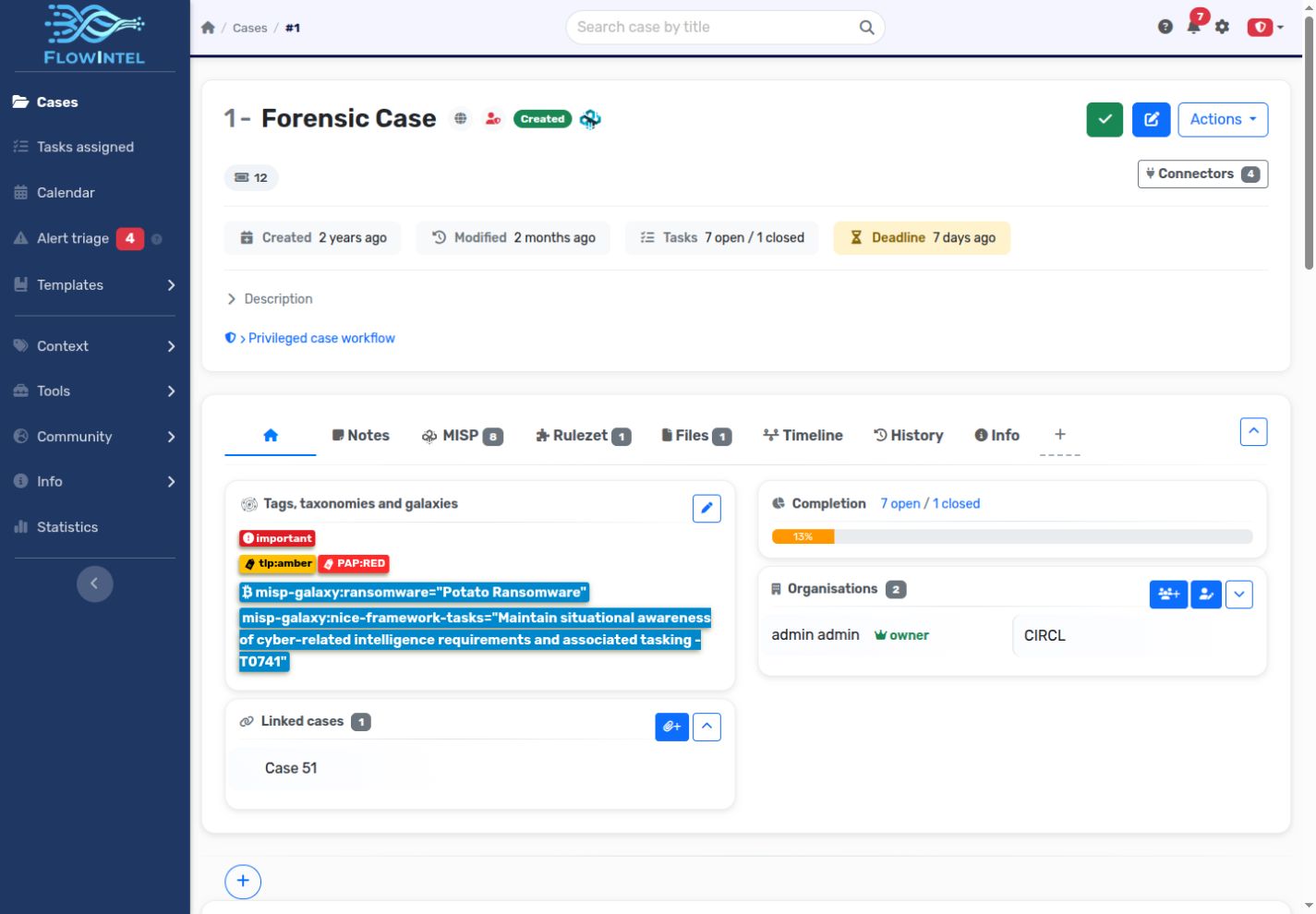
- Add taxonomy tags and galaxy clusters to describe handling requirements and threat context. Use custom tags for local categorisation.
- Add tasks such as triage, evidence collection, analysis and reporting. Assign users, add subtasks and record relevant URLs or external references.
- Record findings in notes and attach supporting files. Keep structured indicators as MISP objects or standalone attributes when appropriate.
- Track progress in My assignments, the calendar and notifications. Update statuses as work progresses.
- Review the evidence, generate a report, and complete the case when the work is finished.
Find and organise work
Use the case list’s filters and sorting to locate investigations by their context and progress. My assignments collects tasks assigned to you. The calendar includes scheduled work and supports manual events and calendar downloads.
Link related cases to preserve investigative context. Fork a case when you need a separate investigation based on existing work. Review the resulting copy before assigning it: a fork is a new case, not a continuously synchronised view.
Tasks and status
Tasks support multiple assignees, notes, checkable subtasks, files, URLs/tools and external references. Use subtasks for small steps within one assignment; use separate tasks when work needs its own ownership or review.
Available status values and review behaviour depend on instance settings. In a privileged case, a new task starts as Requested, passes through approval, and returns for review before completion. See Private and privileged cases.
Notes and attachments
Use case notes for the overall narrative and task notes for individual findings. Markdown and Mermaid support structured text and diagrams. Note templates and @-variables help produce consistent reports.
Attach files to the relevant case or task. File-to-note conversion is available for supported formats and depends on the server’s conversion tools. Keep the original attachment when its provenance matters.
Threat intelligence context
| Item | Purpose |
|---|---|
| Taxonomy tag | Apply a shared classification vocabulary to a case or task. |
| Galaxy cluster | Add context such as a threat actor, malware family or technique. |
| Custom tag | Classify work using labels local to your Flowintel instance. |
| MISP object | Group related attributes using an object template. |
| Standalone attribute | Record an individual typed indicator without an object. |
Objects can be linked to tasks, and attributes can be searched and enriched through analysers. Use connectors when exchanging intelligence with another platform.
Reports, exports and history
Generate a case report from the case actions and choose the information to include. Export options depend on installed conversion tools; signed reports additionally require configured GPG signing. Review the exported document before sharing it.
Download a case as JSON for transfer to another Flowintel instance. Multi-case export is also available. See Import and export for format and compatibility notes.
Case history records changes within an investigation. The separate audit log provides administrative visibility into application actions and requires the corresponding permission.