Analysers
Analysers enrich submitted data through MISP modules. They can perform lookups, conversions and other processing supported by the configured modules. The available list depends on the module service, installed dependencies and provider credentials.
Before you start
The MISP modules service must be reachable at the configured MISP_MODULE_HOST and MISP_MODULE_PORT. An administrator can refresh Flowintel’s module registration with bash launch.sh -mm. Running analysis requires MISP Editor permission or administrator access.
Modules that query an external service send the selected input to that service. Choose modules suitable for the sensitivity of the data and configure provider keys where required.
Run an analysis
Open the analyser and select the input attribute type.
Choose one or more compatible modules.
Enter the values to analyse and submit the request.
Wait for processing, inspect the results, and select the information worth keeping. A successful lookup is evidence to review, not a conclusion about the investigation.
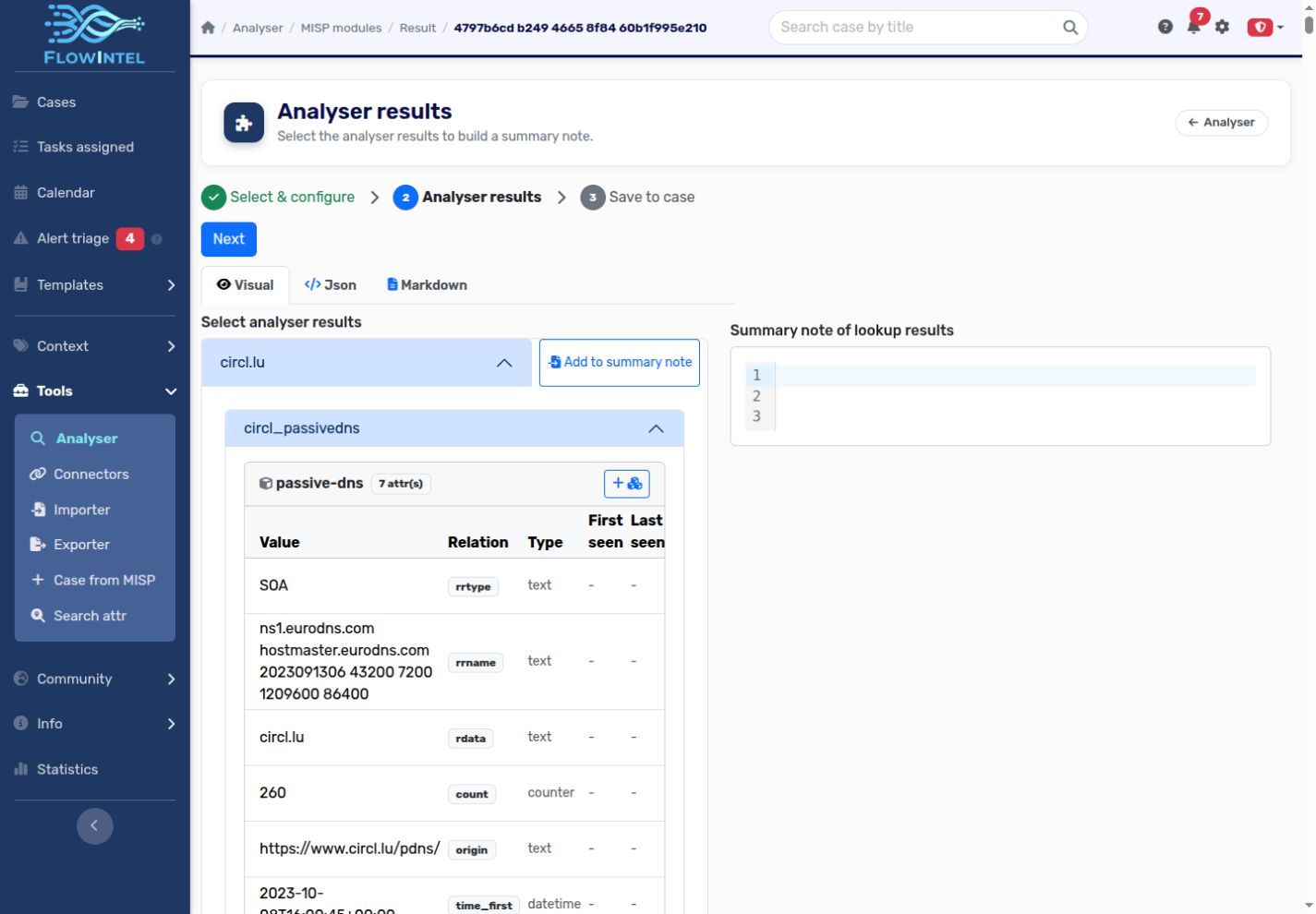
- Choose the destination case and save the selected results to a note or MISP object as offered by the workflow.
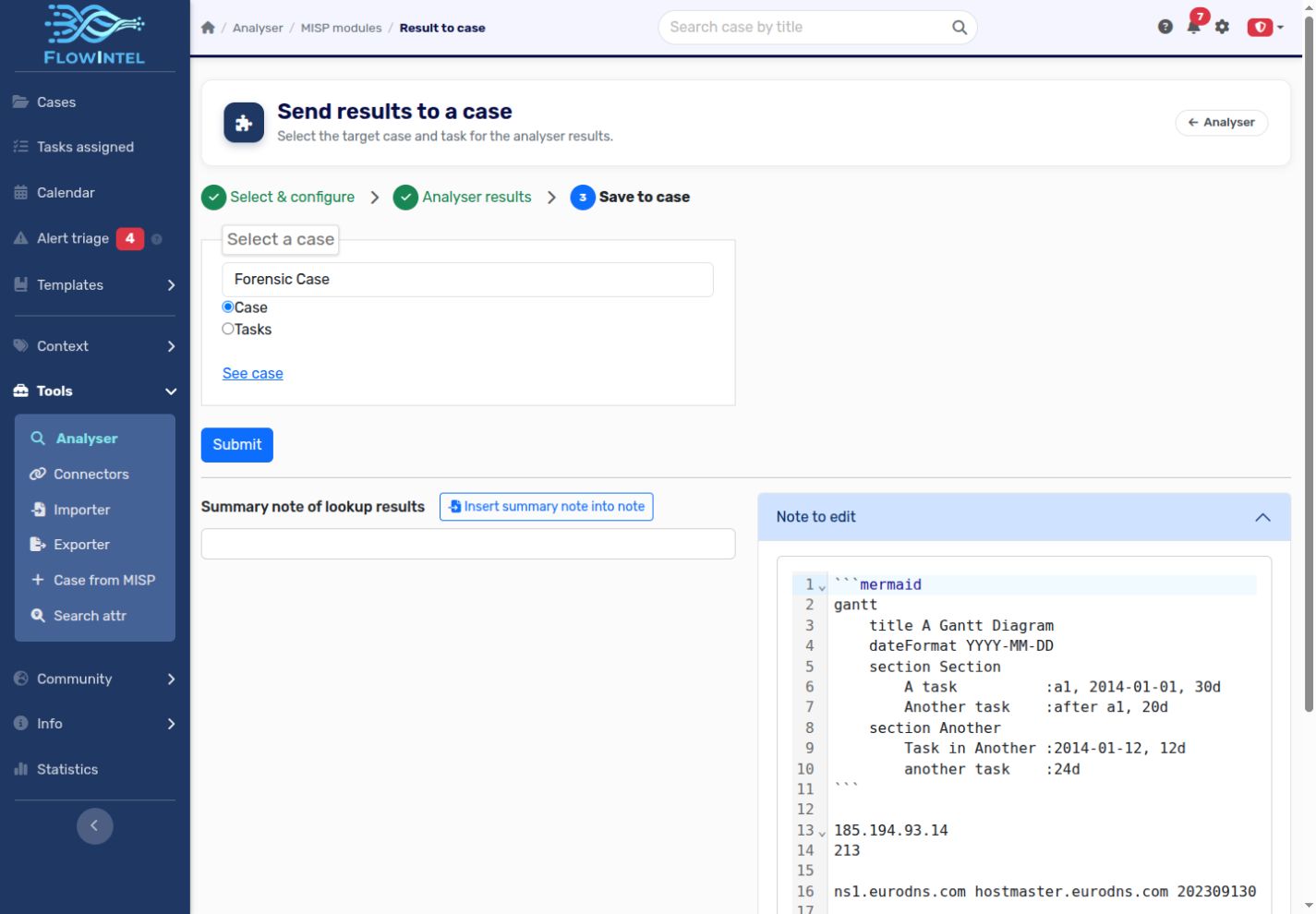
Analyse existing evidence
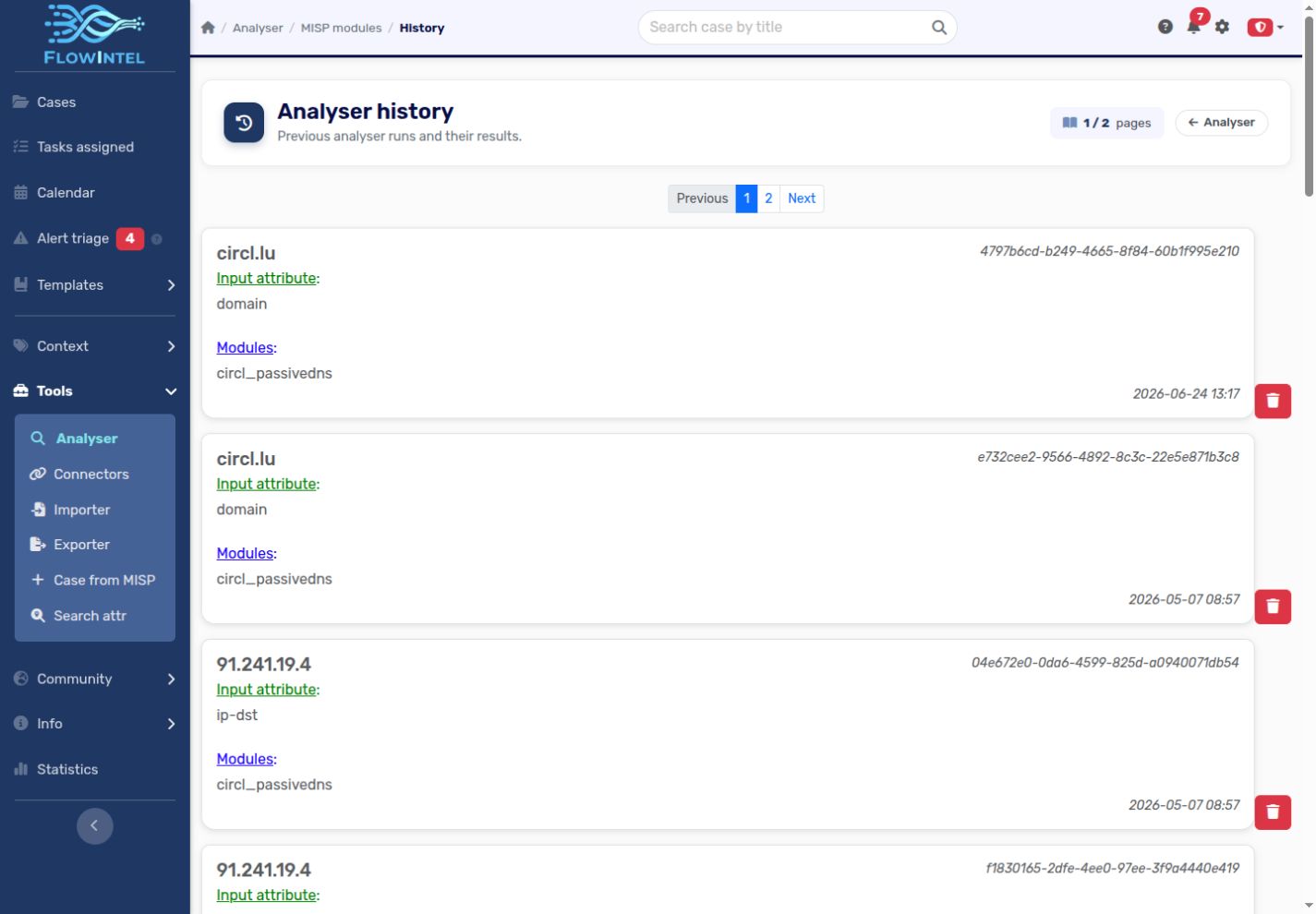
MISP objects and attributes inside a case can also be used as analysis inputs. This keeps enrichment connected to the evidence already collected. Open History to revisit earlier runs before repeating a lookup. The screenshots show saved results reopened in the current interface.
API and troubleshooting
The API starts an analysis session and exposes separate status and result endpoints; see API: Analyser. For missing modules, connection failures or export problems, see Troubleshooting.